Stop the guesswork
before the trade
Give your members private P&L, position size, liquidation, risk/reward, and funding-cost calculators — with role access, presets, guardrails, and review workflows built for Discord trading communities.
Free tier available · Pro from $39/mo per server · Cancel anytime
Listed on Top.gg and the Discord App Directory
Calculation tools only. No trade signals, brokerage services, or financial advice.
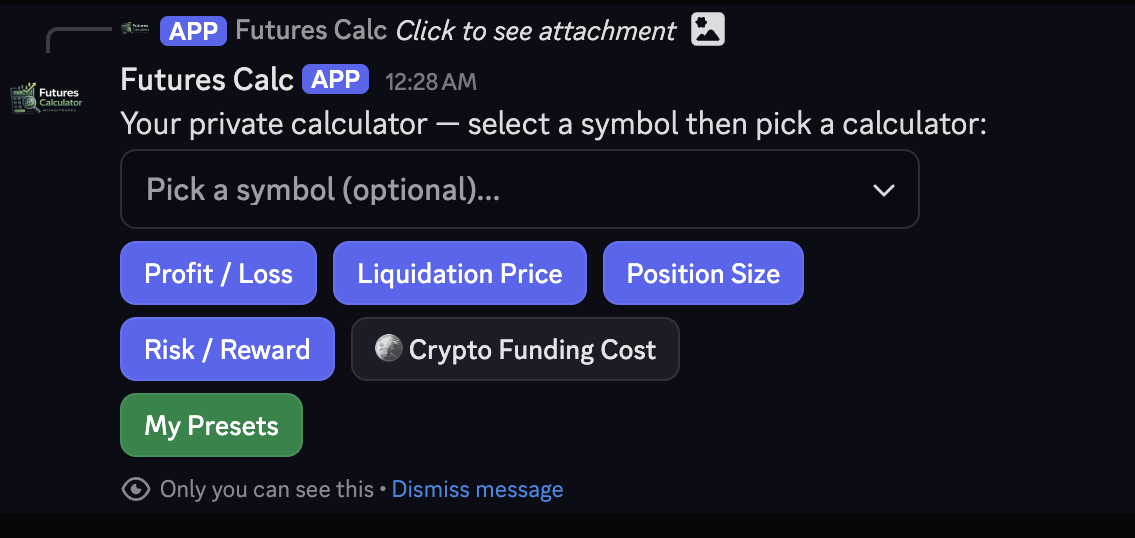
Every member gets their own private session — calculations never spill into the channel.
Built for the way trading servers actually run
Three patterns we see again and again. The bot adapts to all of them.
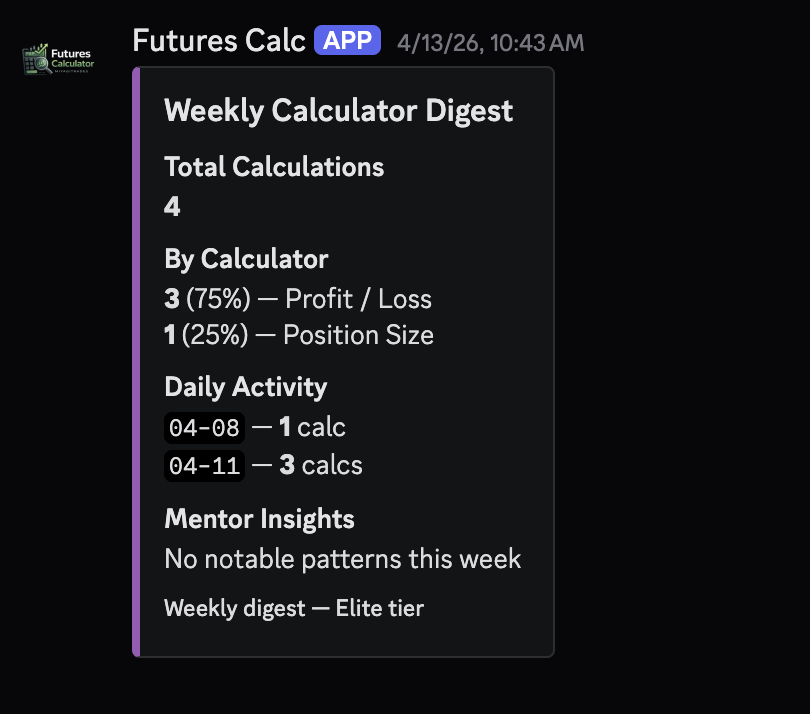
Members run calculations, optionally submit them to a private review channel, and you see what the room is doing in a weekly anonymous digest.
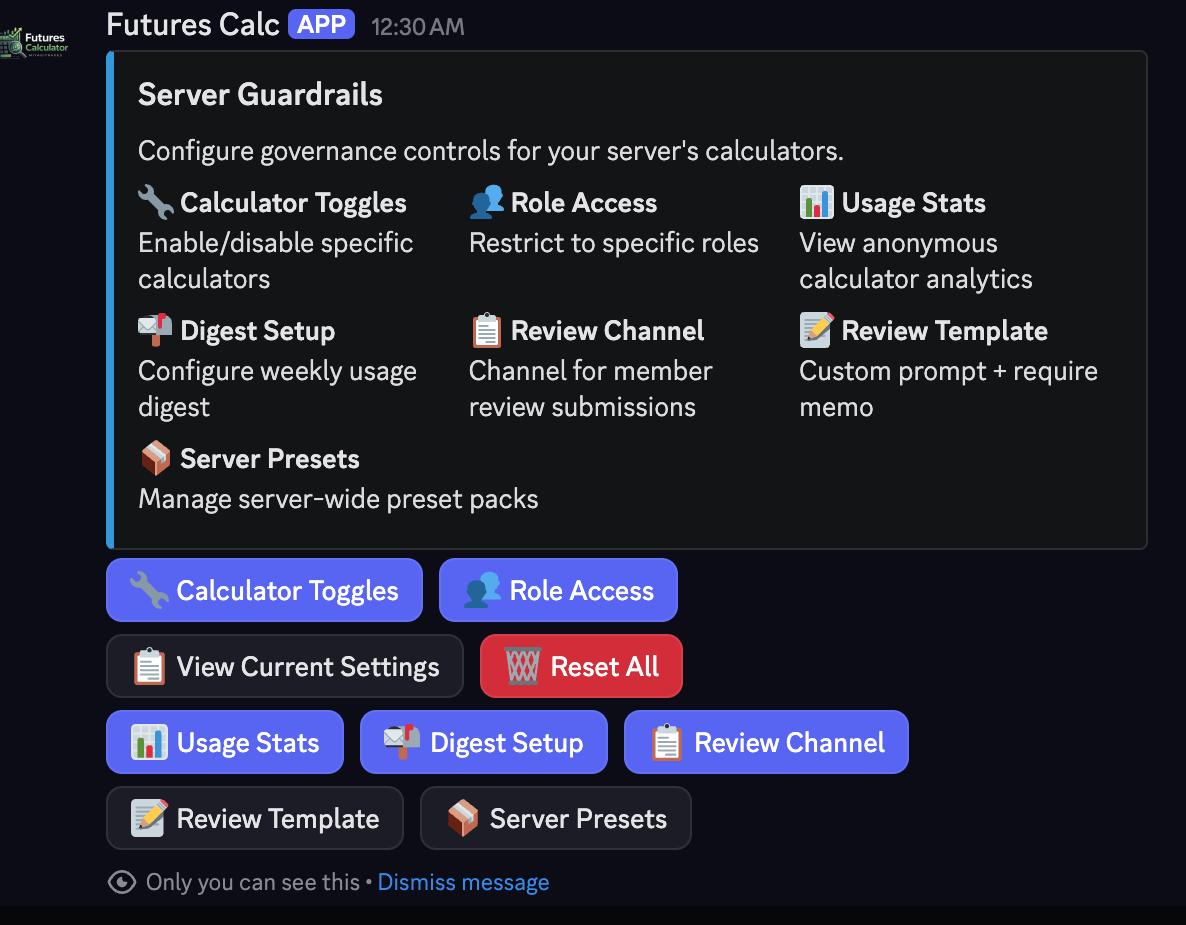
Restrict the calculator to verified roles, cap leverage server-wide, disable specific calculators, and enforce a minimum risk percentage.
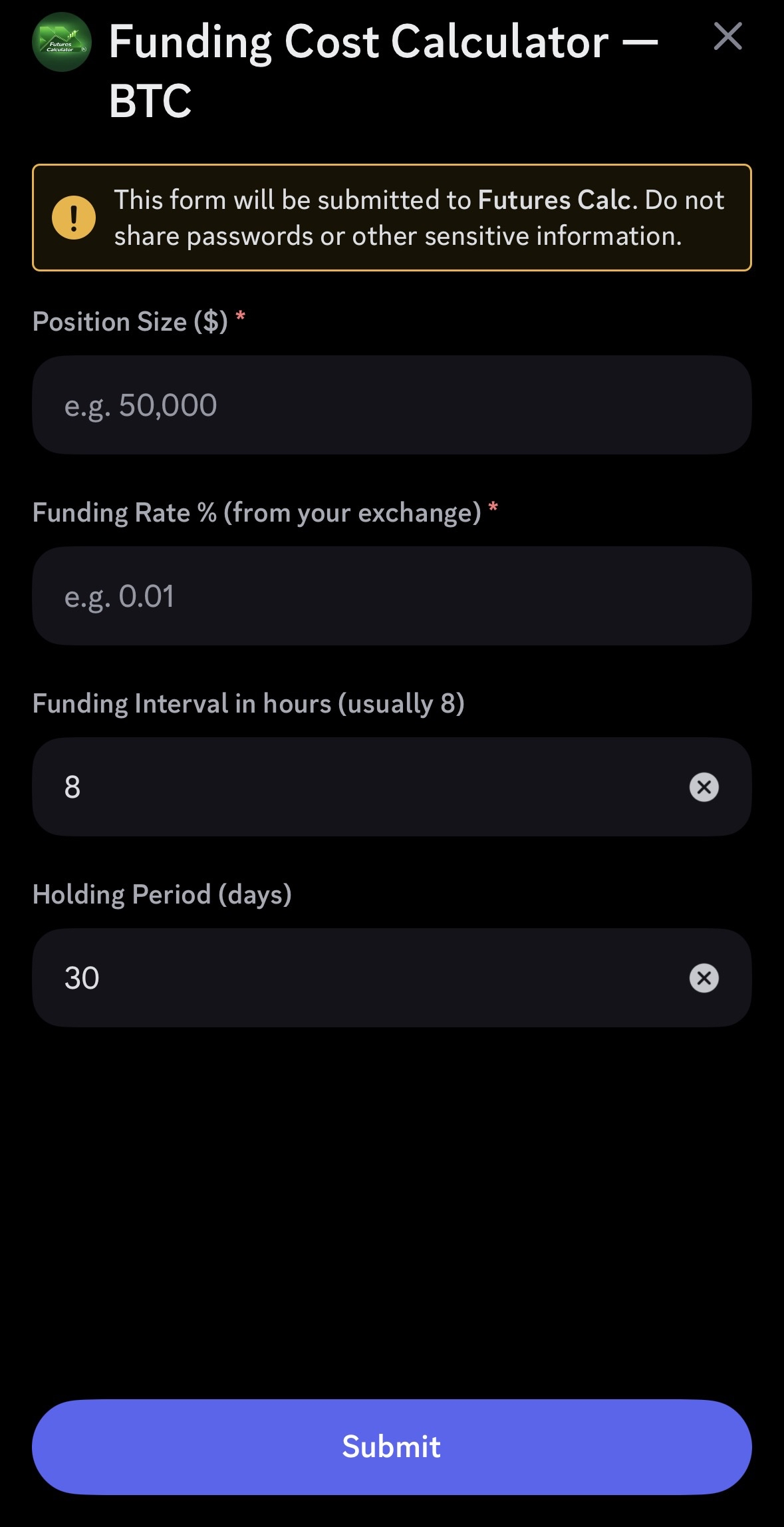
Native funding-cost math for BTC, ETH, SOL perpetuals plus liquidation price math at any leverage. Same modal, no spreadsheet.
One pin. Every member,
their own session.
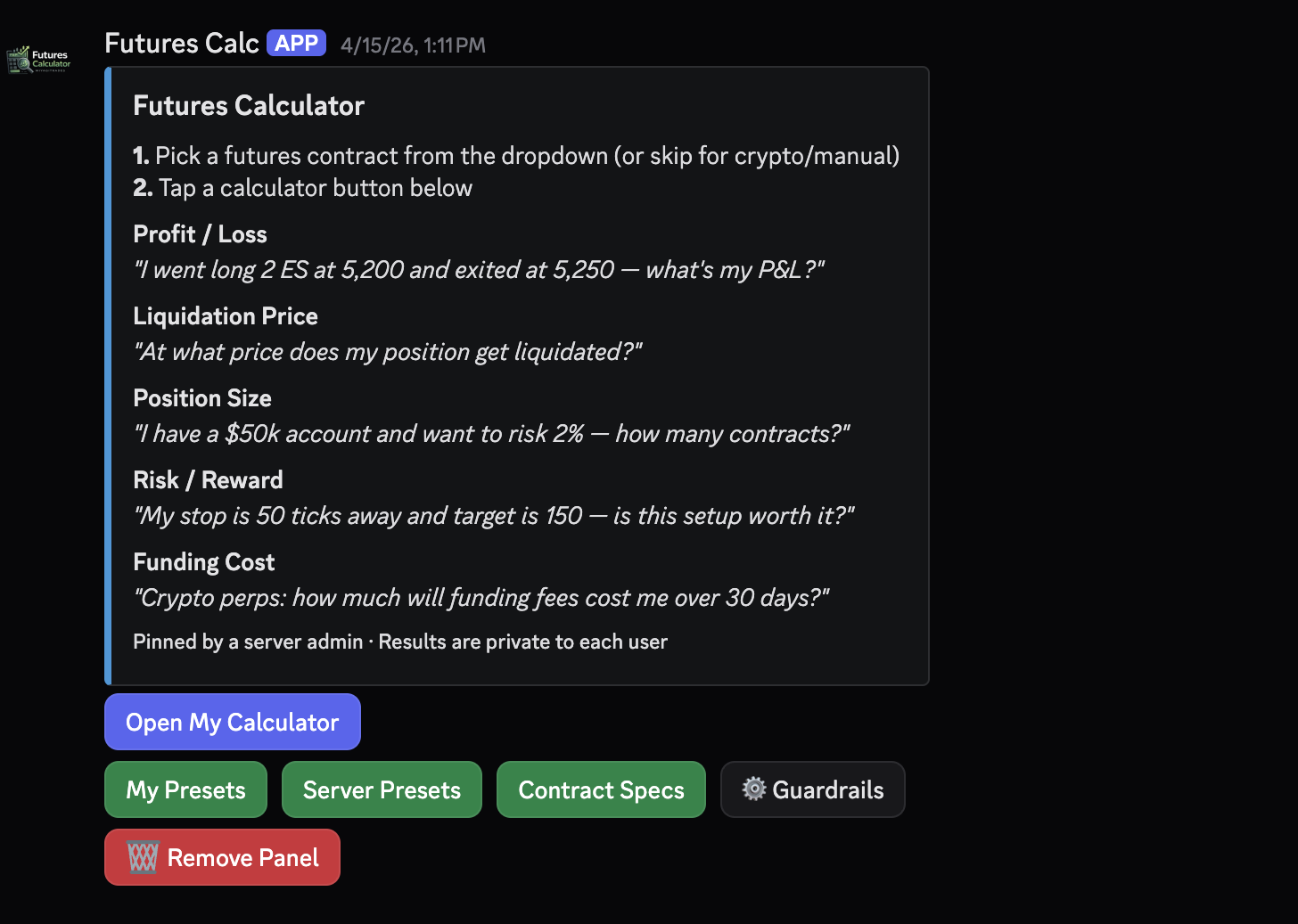
An admin runs /pin once and the calculator panel stays in the channel. Every member who clicks it gets a private, ephemeral session — no spillover, no clutter, no broadcasting anyone's position size in chat.
- ✓ One panel works for the whole server
- ✓ Each click opens that member's private workspace
- ✓ Results never appear in the channel — only the member sees them
- ✓ Admins can remove or move the panel anytime
What members are saying
Real reviews from early users running the bot inside Discord.
“Being able to check liquidation price or R/R privately, without dumping my position size into public chat, has made me way more comfortable planning trades openly with the community. The pinned panel is such a nice touch too — one click and I've got my own private session, every time.”
igobychris
Top.gg review
“As someone who's brand new to futures, this has been a huge help. Coming from options, I was struggling with point values, P&L, position sizing, and risk. This tool makes everything much easier to visualize before entering a trade — and it's built right into Discord, so no switching between websites or spreadsheets.”
Starry
Top.gg review
“Everything stays private instead of having calculators and trade sizing all over the chat. The UI is clean, it's quick to use, and it covers pretty much everything I need before taking a trade. Way easier than opening a spreadsheet every time. Definitely recommend it if you have a trading Discord.”
noëllyn
Top.gg review
How it works
Three steps. No spreadsheets, no leaving Discord.
Invite the bot
Subscribe and authorize the bot for your Discord server. Takes one click.
Members run /futures
Anyone in the server runs the slash command to open a private calculator session. Optional: admins can run /pin to drop a permanent panel in a channel for one-click access.
Configure guardrails (optional)
Run /guardrails to set role access, leverage caps, disabled calculators, and review channels.
Why a Discord bot, not a spreadsheet?
Private by default
Every result is ephemeral — only visible to the member who ran it. No position-size signaling in chat.
Free for every member
One server bill, paid by the admin. Members never pay, sign up, or log in — they click and go.
Web tools sync to Discord
Run any calculator on our free web tools, then save the inputs straight to your Discord presets — no copy/paste.
30+ contracts auto-filled
ES, NQ, GC, CL, BTC, ETH and the full futures library — pick a symbol and the multiplier and tick value auto-fill.
Pricing
Per server, billed monthly. Cancel anytime. Pricing is what each server pays — members never pay.
Free
Try the calculators
- ✓ All 5 calculators
- ✓ 7 most-traded contracts auto-fill
- ✓ Pinned panel for the channel
- ✓ 5 calculations / minute / member
$39/mo
Add server controls
- ✓ Everything in Starter
- ✓ Full contract library (30+)
- ✓ Saved presets — 3 per member
- ✓ Role-based calculator access
- ✓ Per-calculator enable/disable
- ✓ 30 calcs / min / member
$79/mo
Add mentor workflows
- ✓ Everything in Pro
- ✓ Unlimited personal presets
- ✓ Server-wide preset packs
- ✓ Anonymous weekly usage digest
- ✓ Member trade review channel
- ✓ Unlimited calculations
Not financial advice. Use at your own risk. Calculations are a guide — verify before trading.
Frequently Asked Questions
Bring it to your server today
Start free. Upgrade to Pro when your community is ready for guardrails.
Prefer a bot directory? View on Top.gg or the Discord App Directory.
Try the free web tools first
Then save your inputs straight to your Discord presets — no copy/paste.