EconBot
Setup guide
Currently exclusive to contracted clients. EconBot is not available for self-serve subscription at this time. This guide is provided for clients who already have access. To inquire about availability, email support@miyagitrades.com.
1. Invite the Bot
After your subscription is active, use the invite link from your dashboard to add the bot to your Discord server. You must have Manage Server permission in that server.
The bot will request permissions to send messages, embed links, and read message history. Accept all requested permissions for full functionality.
2. Set Your Channel
Navigate to the channel where you want the bot to post weekly updates, then run:
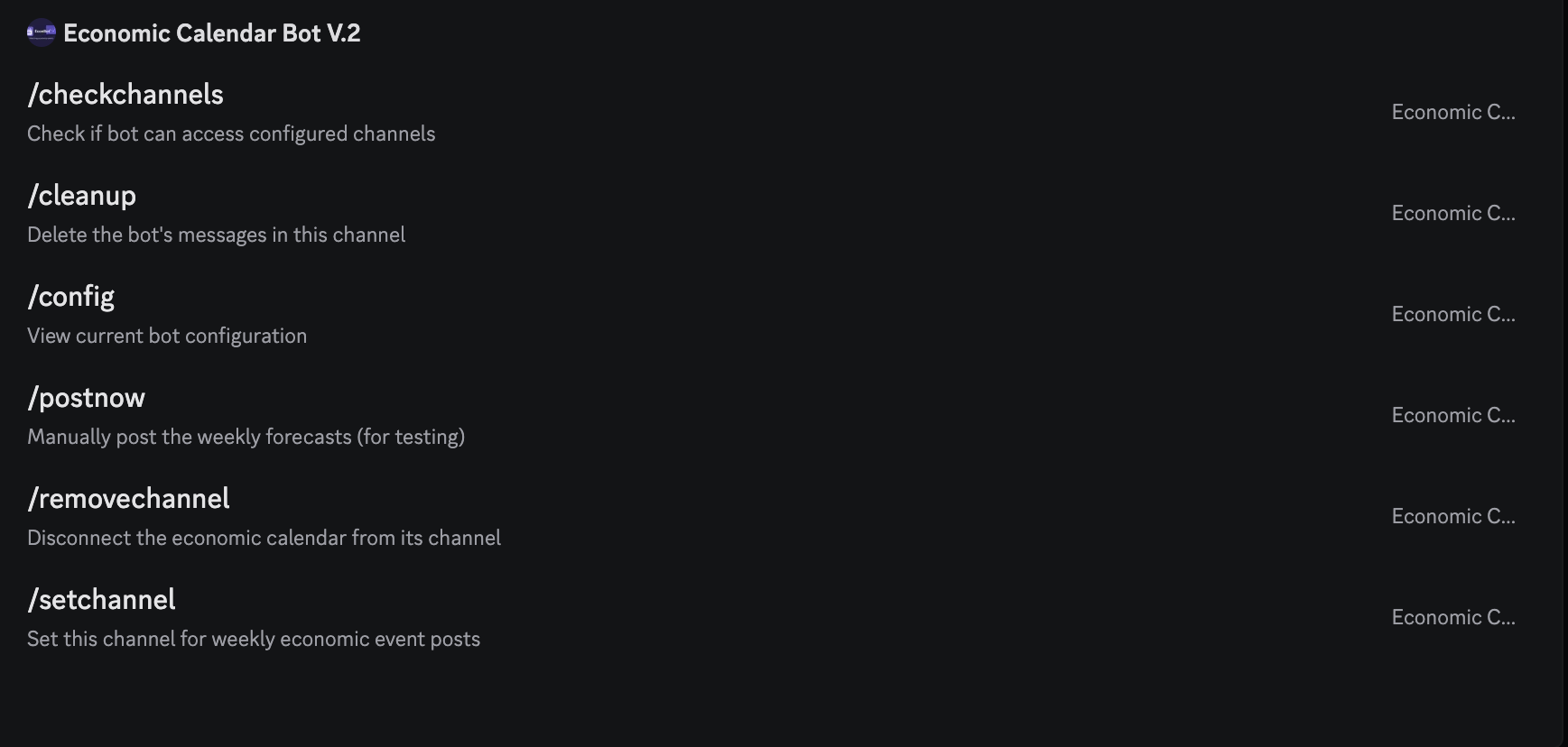
/setchannelSets the current channel for weekly market updates. The bot will post here every Sunday with the economic calendar and interactive tab buttons.
/configView your current channel configuration to verify everything is set correctly.
3. Automatic Weekly Posts
Once your channel is configured, the bot posts automatically every Sunday at 6:00 PM Eastern — giving your community a full preview of the week ahead before markets open Monday.
The post always shows the Economic Calendar by default. Tap any button below the post to view additional data in a private message visible only to you. Switching tabs updates that same private message in place — no extra clutter.
Free Tier
The Economic Calendar is always shown in the weekly post. No additional tab buttons are displayed.
Premium Tier
PremiumPremium servers get five interactive tab buttons below the weekly post, each showing a private embed when clicked:
💼 Earnings
Top S&P 500 earnings for the week, ranked by market cap. Includes report time (before/after market) and ticker.
📅 Today's Earnings
S&P 500 companies reporting on today's date, filtered from the full weekly list.
🔔 IPOs
Upcoming IPOs for the week, grouped by day with exchange listed.
✂️ Stock Splits
Forward and reverse stock splits scheduled during the week.
🧾 OPEX
Options and futures expiration dates falling during the week.
Buttons turn green when data is available for that category, and stay grey when there is nothing to show for the current week. The bot automatically removes the previous week's post before sending a new one.
4. Admin Commands
These commands require Administrator permission in your server:
/postnowManually trigger the weekly post. Useful for testing your setup before waiting until Sunday.
/cleanupDelete the bot's messages in the current channel (up to 100 messages).
/checkchannelsVerify the bot can access your configured channel and that permissions are correct.
Troubleshooting
Commands not showing up?
Make sure the bot has "Use Application Commands" permission in your server. If commands still don't appear, try kicking and re-inviting the bot.
Tab buttons not appearing?
Tab buttons (Earnings, IPOs, etc.) are a Premium feature. Free tier servers only see the Economic Calendar in the weekly post. Upgrade your subscription from the dashboard to unlock all tabs.
Bot not posting on Sundays?
Run /config to make sure your channel is set, then /checkchannels to verify the bot has "Send Messages" and "Embed Links" permissions in that channel.
Still need help?
Email us at support@miyagitrades.com and we'll respond within 24 hours.